Turn challan photos into live inventory.
Vishnu Enterprises tracks stock movement by letting staff take a photo of the challan. Querygen reads the document, updates item quantities, records the buyer, and keeps reports ready.
The daily problem
Inventory moves faster than manual entry.
Vishnu Enterprises handles many items, customers, returns, and outgoing stock movements. Challans keep arriving through the day, and every document has small details that matter.
Asking staff to type every line into a sheet slows the business down. Asking the owner to trust scattered photos is worse. Querygen keeps the photo as the input and turns it into a usable record.
01
Staff send the challan photo
The team keeps the habit they already understand: take a photo of the challan and send it from the field, counter, or warehouse.
02
Flows reads the document
Querygen pulls out the document number, buyer, seller, item names, quantity, unit, date, and whether stock is moving in or out.
03
The inventory updates itself
Stock levels, transaction history, customer records, and day-wise, item-wise, and party-wise reports stay current for the owner.
Impact for inventory-heavy teams
Inventory stays current
Every challan photo updates the stock picture as work happens, so owners are not waiting for end-of-day data entry to know what moved.
Staff do less repetitive work
The team does not need to copy item names, quantities, party names, and document details into a sheet again and again.
No heavy software rollout
The working habit stays familiar: take a photo and send it. Querygen adds the inventory system behind that habit instead of forcing a new process.
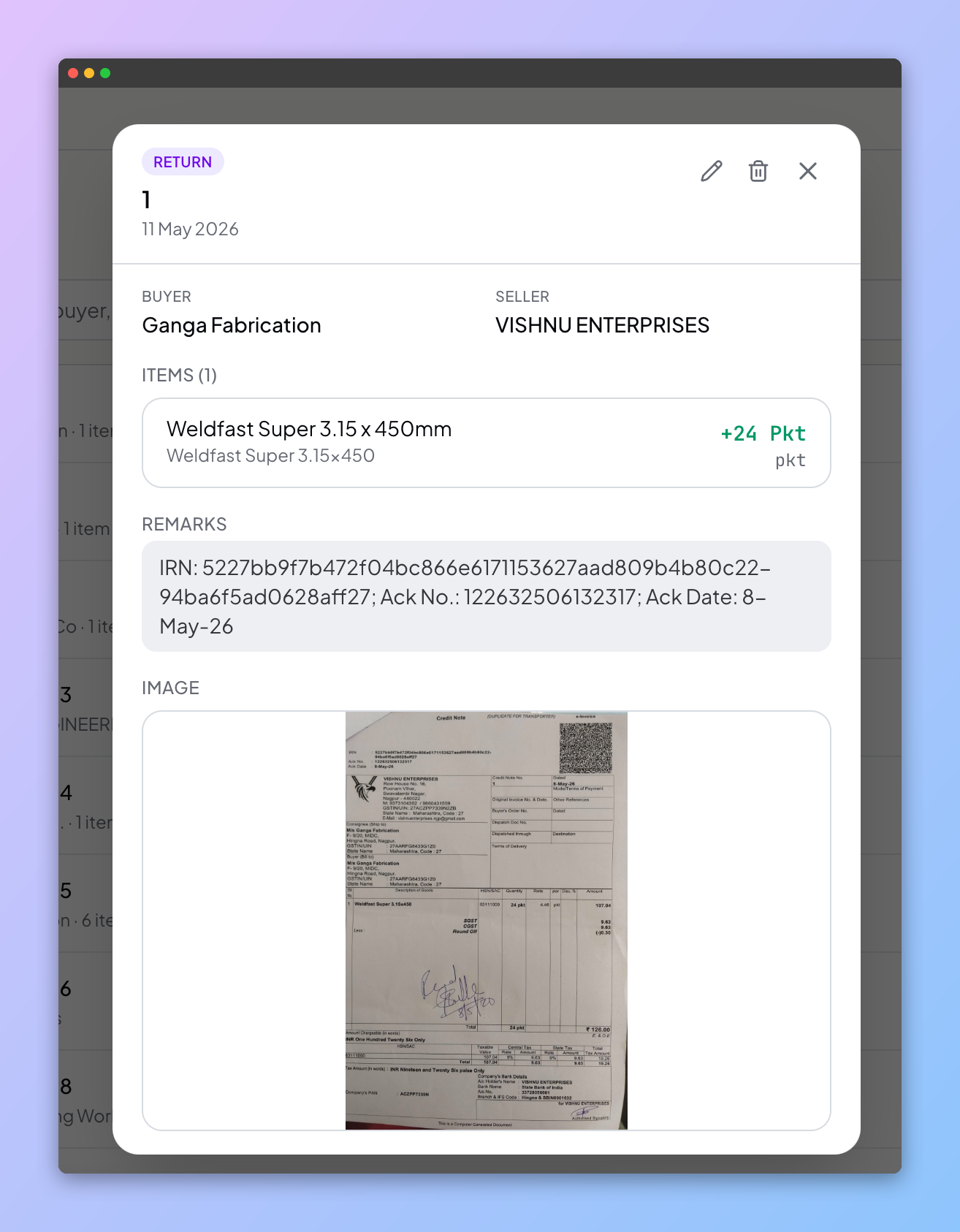
Challan received for Ganga Fabrication
Photo to record
The staff action stays simple.
A challan is not a clean form. It can have a document number, party name, one or many line items, quantities in packets or kilograms, remarks, returns, sales, and a photo attachment.
Querygen reads the business context from the document and puts the record where it belongs. The team does not need to stop work and fill a new app.
Inventory dashboard
Stock, customers, and reports stay connected.
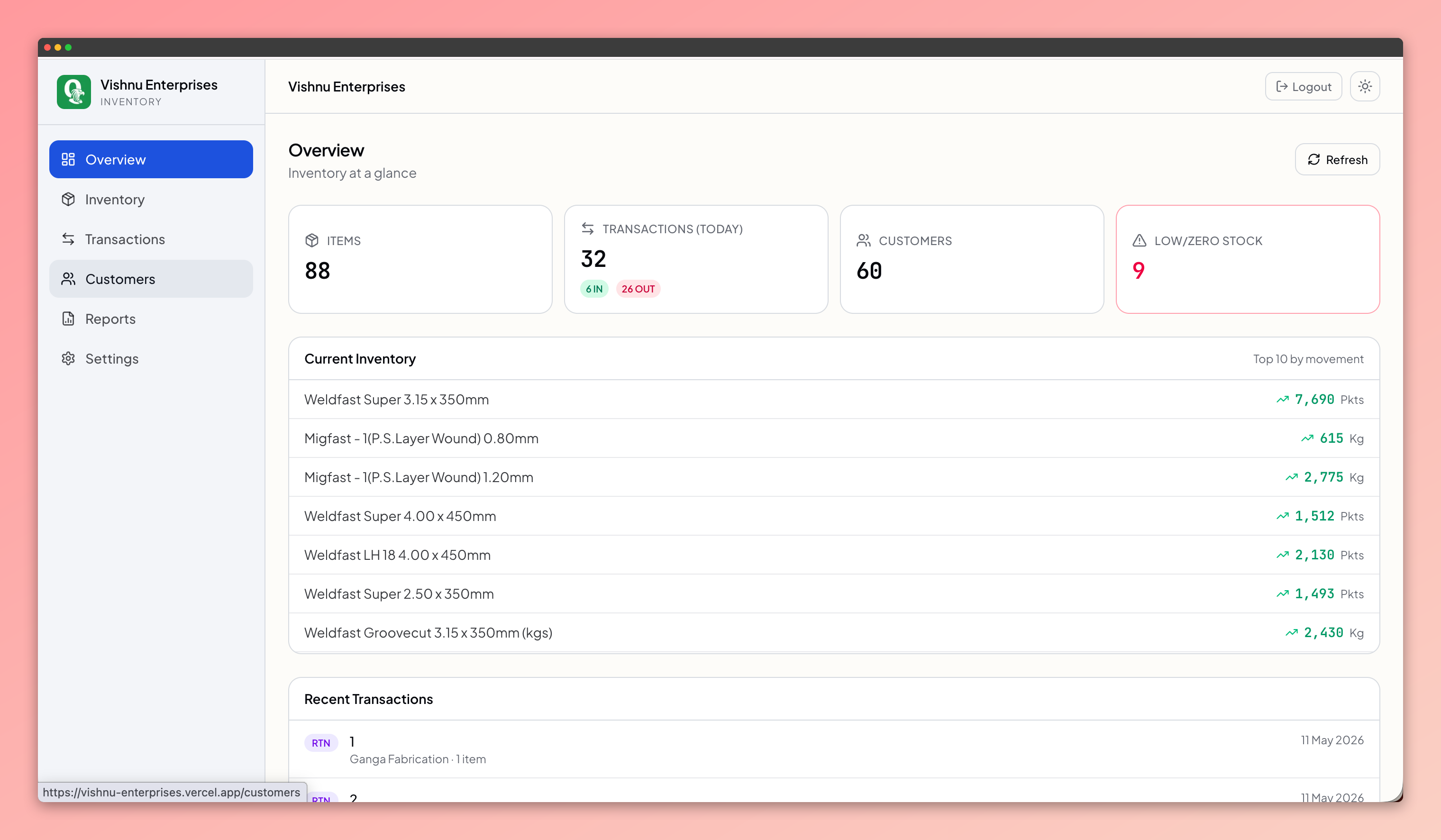
Inventory tracking is useful only when the owner can answer the next question: which item moved, who bought it, whether stock went in or out, and what changed over time.
Current stock
See item-wise stock levels, low-stock items, and fast-moving products without waiting for a manual tally.
Transaction history
Open every stock movement with the original challan image, extracted fields, remarks, and party details.
Customer records
Keep a clean buyer list from actual stock movement, not from someone maintaining a separate CRM sheet.
Business reports
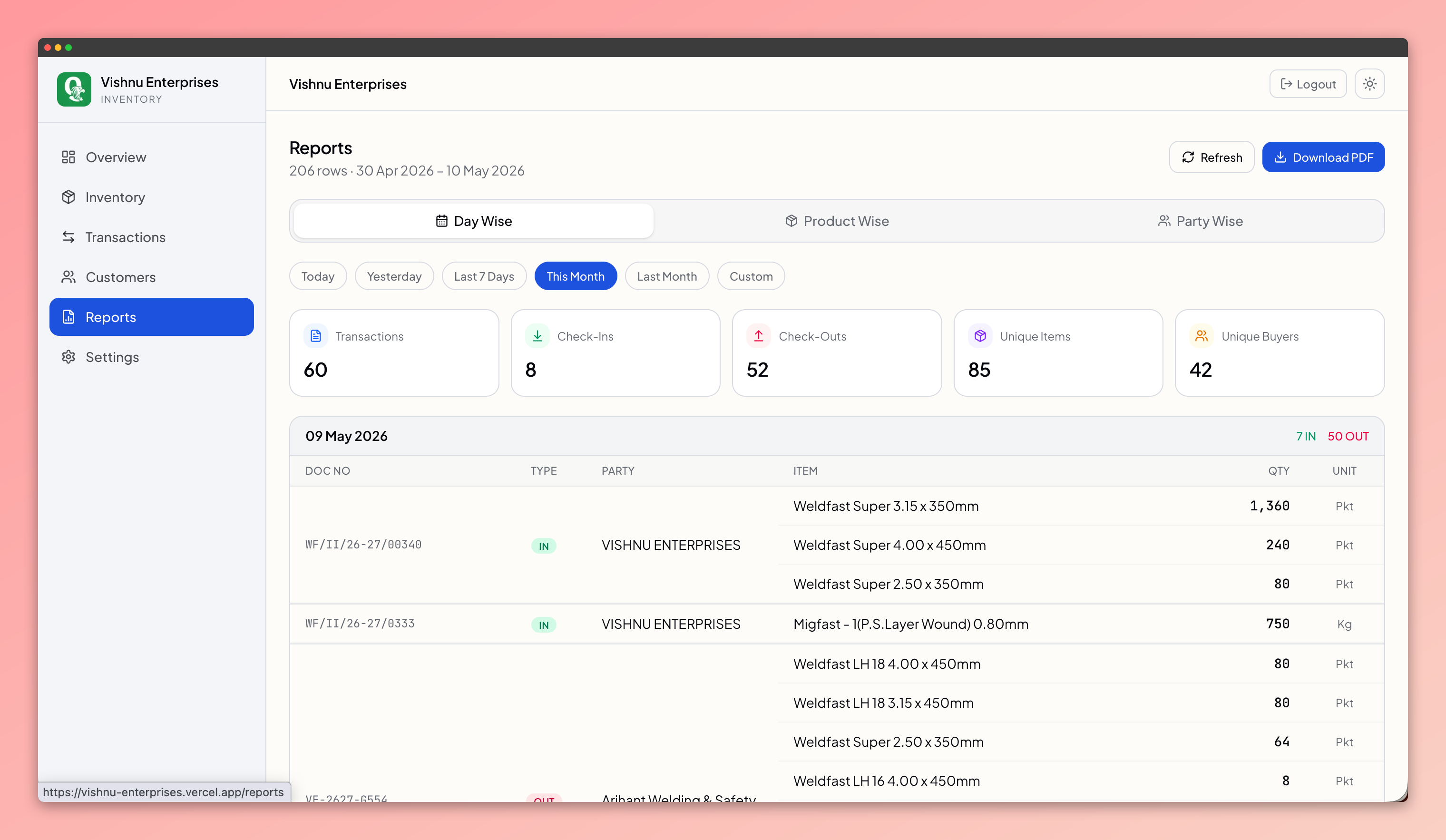
Review movement by day, product, and party so the business can answer stock questions quickly.
Stock view
Current
Movement
Party-wise
Attention
Low stock
Reporting
Every challan becomes a business report.
Vishnu can look at stock movement by day, product, or party. The report is no longer a separate exercise after the workday. It is the byproduct of staff sending the challan photo.
Stop turning challans into after-hours data entry.Let the photo do the work.
We can map your challan format, extract the fields you care about, and build the inventory dashboard your team needs.
Message us on WhatsApp